
Getting started with Verified Origin.
A simple guide to installing, activating and using the Verified Origin WordPress plugin for website trust and authenticity checks.
Upload the Verified Origin plugin zip file through WordPress, then activate the plugin from your admin dashboard.
Enter your licence key after checkout to enable scans, updates and account functionality.
Scan WordPress pages, posts and website trust signals directly from the Verified Origin admin interface.
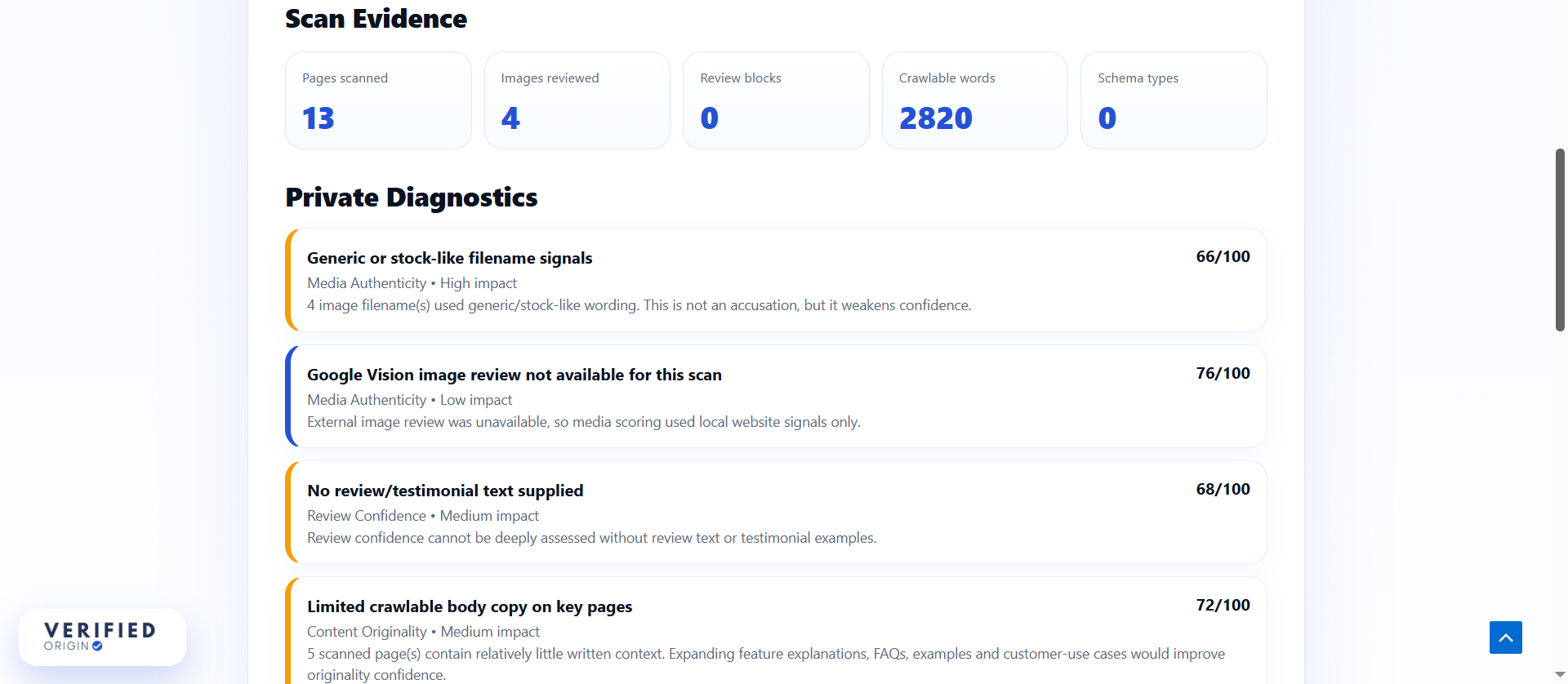
Review trust scores, originality indicators, AI-assisted writing signals and private improvement recommendations.
What the plugin reviews.
Verified Origin checks a combination of visible website signals rather than relying on one single score. This includes content originality, AI-assisted writing patterns, public trust evidence, technical signals and private diagnostic recommendations.
The report is designed to help users make practical decisions: whether a site is ready to publish, whether content needs rewriting, whether trust evidence is thin, or whether technical signals need attention.
- Website trust score
- Content originality review
- AI-assisted writing signals
- Media authenticity indicators
- Technical trust checks
- Private improvement opportunities
Common questions
Quick answers to common setup and usage questions.
Is Verified Origin a separate SaaS platform?
No. Verified Origin is designed primarily as a WordPress plugin, so scans and reports can be reviewed inside the WordPress admin area.
Can I scan existing WordPress pages?
Yes. Verified Origin is designed to analyse both existing content and newly created drafts directly inside WordPress.
How accurate is AI detection?
AI detection and authenticity analysis are confidence-based signals. They should be used as guidance rather than definitive proof of authorship.
Can public visitors see full diagnostics?
No. Public trust summaries are simplified. Deeper diagnostics and improvement recommendations remain private to authorised users.
Does the plugin store submitted content?
Data handling may vary depending on configuration, updates and enabled integrations. Please refer to the Privacy Policy for current data handling practices.
What happens after the trial?
After the 14-day trial period, users may continue using the selected plan subject to the applicable billing terms.
Support
For help with installation, billing, licence activation or plugin functionality, contact Verified Origin support using the Contact page or your registered account email address.
Support response times may vary depending on plan level, issue complexity and business hours.

